
Template Library
Free templates for GAGE Sampler and GAGE Player. Listen, download, and make them your own.
Seasonal
Free templates we make for the seasons and holidays.
Halloween
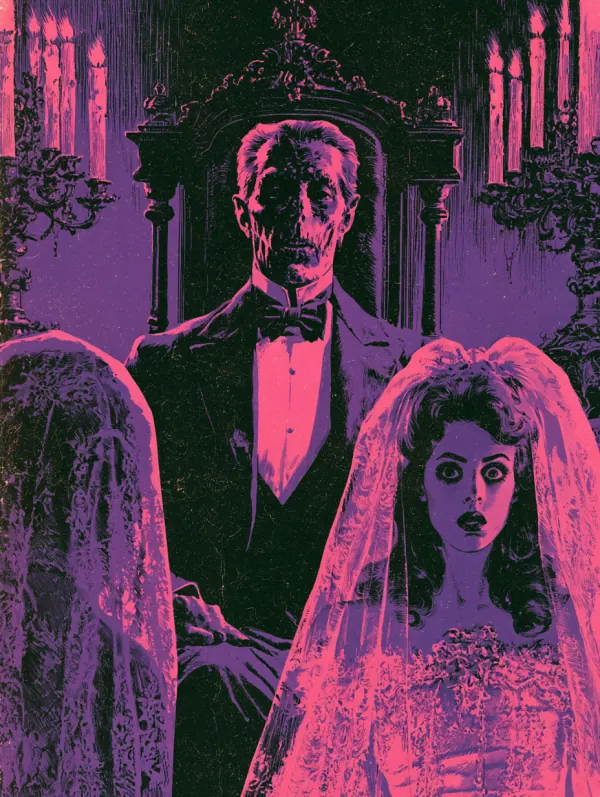
You are cordially invited to the wedding of
the late Lord A.
and his devoted bride
The house chapel, at midnight.
The groom will be seated throughout. His remarks have been recorded in advance.
Black tie. Please do not touch the groom.
- MT-Pumpkin Circus Waltz GAGE Sampler GAGE Player
- MT-Moonlit Stalker GAGE Sampler GAGE Player
- MT-Phantom Ballroom GAGE Sampler GAGE Player
- MT-Crimson Whisper GAGE Sampler GAGE Player
Comes with GAGE Player
The templates built into GAGE Player and GAGE Sampler. Download one again here if you have removed it.
- MT-Advanced Masked GAGE Sampler GAGE Player
- MT-Ambient Brass GAGE Sampler GAGE Player
- MT-Ashen Choir GAGE Sampler GAGE Player
- MT-Barbarian Anthem GAGE Sampler GAGE Player
- MT-Budd Bright GAGE Sampler GAGE Player
- MT-Flutterby Phrygian GAGE Sampler GAGE Player
- MT-Harvest Lanterns GAGE Sampler GAGE Player
- MT-Kaiju GAGE Sampler GAGE Player
- MT-Lantern Glow GAGE Sampler GAGE Player
- MT-Late Night Groove GAGE Sampler GAGE Player
- MT-Luminous Choir GAGE Sampler GAGE Player
- MT-Melody And Mellotron GAGE Sampler GAGE Player
- MT-Ojingo GAGE Sampler GAGE Player
- MT-Popping Melody GAGE Sampler GAGE Player
- MT-Puzzle Run GAGE Sampler GAGE Player
- MT-Quiet Waltz GAGE Sampler GAGE Player
- MT-Slippery Fripp GAGE Sampler GAGE Player
- MT-Sunday Plainchant GAGE Sampler GAGE Player
- MT-Tolling Bells GAGE Sampler GAGE Player
- MT-Winter Hearth GAGE Sampler GAGE Player
How to install in GAGE Sampler
- Quit GAGE Sampler.
- Unzip the download. Inside is one folder, named for the template.
- Move the folder into the Templates folder of your GAGE library: usually Documents/GAGE/Templates on a Mac, or Documents\GAGE\Templates on Windows.
- Open GAGE Sampler and load it from Template, Load Template (or Recent).
Not sure where your library is? In GAGE Sampler, Settings, Set GAGE Library Location shows it. GAGE Sampler never replaces a template that has the same name, so if you already have one with the same name, delete the old folder first.
How to add one to GAGE Player
- On your iPhone, download the GAGE Player file.
- Open GAGE Player, tap the + button and choose the file.
Another way: in Files, tap the template, tap the Share button (the square with the arrow pointing up), and choose GAGE Player.
Using the music
The template files are for use inside GAGE only; the music you make with them is yours under CC BY 4.0, with credit, for example: Music made with GAGE, template “MT-Kaiju” by MoonTech Studios (CC BY 4.0). The full terms are in sections 3 and 4 of the GAGE License Agreement.
For the Halloween templates, credit: “Music made with the Halloween Pack for GAGE Sampler by MoonTech Studios.”